
Best VPS for Vaultwarden in 2026: Secure Hosting & Setup Guide
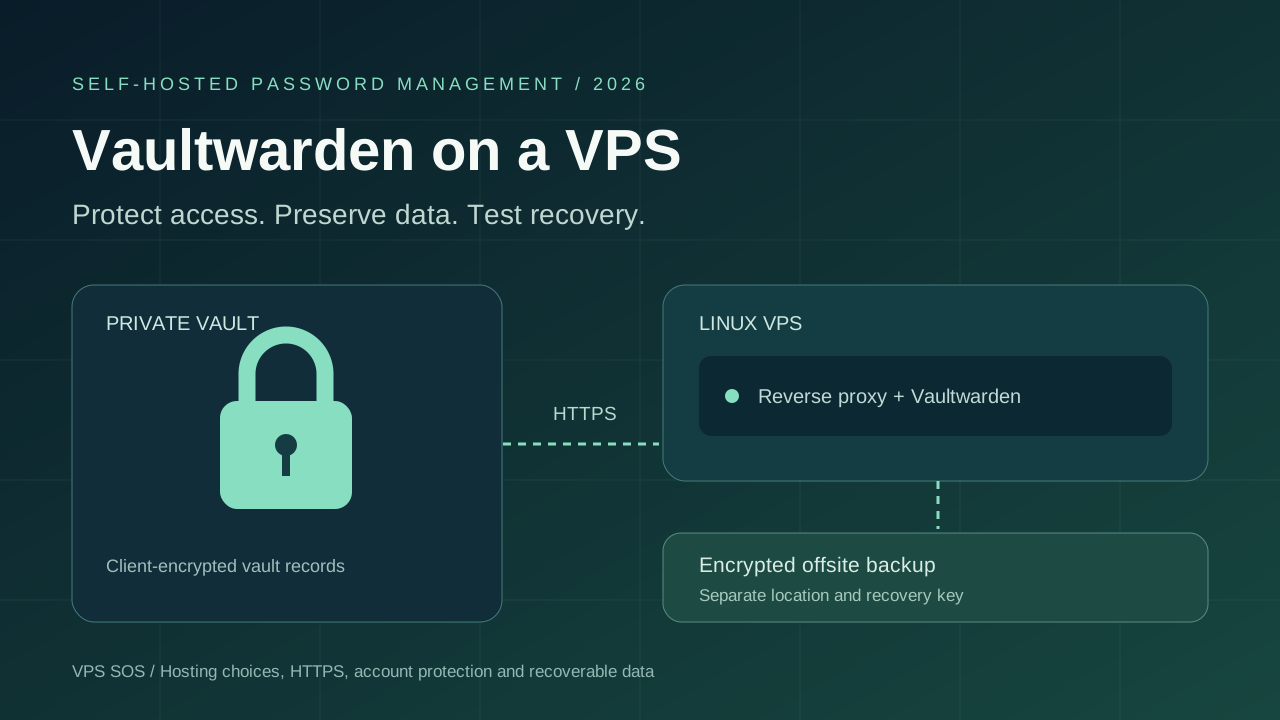
The best VPS for Vaultwarden is a small Linux server you can maintain, protect and restore. Vaultwarden is a community-built server compatible with Bitwarden clients, giving individuals and small groups a way to host their own password vault. A modest VPS can handle a light deployment, but enough RAM is only the starting point: HTTPS, controlled registration and encrypted backups matter more than an oversized plan.
Self-hosting lets you choose where the service and its data reside. It also makes you responsible for operating-system patches, application updates, access restrictions and recovery. A strong master password does not compensate for a compromised endpoint or neglected server.
This guide compares six providers, separates resource estimates from official requirements, and explains an Ubuntu Docker Compose installation. It includes protected administrator access, invitation-based onboarding and a backup-and-restore workflow so you can assess the work before entrusting it with passwords.
Checked October 29, 2026. Latest stable release and image tag verified: Vaultwarden 1.37.4. Prices below are official public catalog references, not completed purchases or server benchmarks. Availability, regional charges and taxes can change the order total.
Best VPS for Vaultwarden: Quick Comparison
These recommended configurations leave operating-system and backup headroom. Lower entry plans are discussed separately; a low price does not establish stronger security.
| Provider | Recommended Plan | vCPU | RAM | Storage | Verified Monthly Cost | Backup Options | Best For |
|---|---|---|---|---|---|---|---|
| LightNode | Start Linux | 1 | 2 GB | 50 GB NVMe | $7.71 displayed reference | Independent backup; provider option needs quote | Flexible hourly hosting |
| Hetzner | CPX12, subject to availability | 1 | 2 GB | 40 GB NVMe | Check current pricing | Backups/snapshots; check current price | EU deployment after quote check |
| DigitalOcean | Basic Regular 2 GiB | 1 | 2 GiB | 50 GiB SSD | $12 | Weekly 20% / daily 30% percentage plans | Documented first deployment |
| Vultr | vc2-1c-2gb | 1 | 2 GB | 55 GB SSD | $10 base region | Automatic backups from 20% | Location selection |
| Akamai Cloud / Linode | Linode 2GB | 1 | 2 GB | 50 GB SSD | $12 base region | Backup add-on $2.50 base region | General-purpose VPS |
| Contabo | Cloud VPS 4 | 4 | 8 GB | 100 GB SSD | Check current pricing | Auto Backup add-on; quote required | Larger resource plans |
All require your own application-consistent, encrypted offsite backup. Provider disk images are supplementary recovery tools.
What Is Vaultwarden?
Vaultwarden implements a Bitwarden-compatible server in Rust. It supports a Web Vault, synchronization through compatible browser extensions and mobile clients, organizations for sharing, and file attachments. You select a self-hosted server URL in the client.
It is an unofficial community project, separate from Bitwarden's official server and hosted service. Compatibility is not a promise of identical features, audit scope, compliance responsibilities or support. Review release notes when updating either clients or server. The current image is vaultwarden/server; old bitwarden_rs examples are not the default for this tutorial.
Vaultwarden VPS Requirements
Minimum CPU and RAM
There is no universal minimum here that guarantees every workload. The table gives editorial starting estimates, including Linux, Docker, a reverse proxy and routine maintenance. Account count alone does not predict memory usage: simultaneous logins, synchronization and backup work can create peaks.
Recommended VPS Configurations
| Use Case | CPU | RAM | Storage | Database | Recommended Backup |
|---|---|---|---|---|---|
| Personal use | 1 vCPU | 1 GB | 20 GB SSD | SQLite | Daily encrypted offsite; restore test |
| Family or small team | 1–2 vCPU | 2 GB | 30–40 GB SSD | SQLite initially | Daily offsite; additional copies before updates |
| Growing team | 2 vCPU | 4 GB | 50 GB+ SSD | Evaluate actual database workload | Defined recovery targets and tested retention |
| Larger installation | Measure demand | Measure demand | Attachment/retention budget | SQLite or supported external database after evaluation | Database-specific backup and recovery procedure |
Storage Requirements
Accounts and SQLite may occupy little disk while attachments, Sends, retained backups and container images grow. Reserve free space for updates. SMTP, the proxy and OS also need resources. A small database still contains essential state; its size does not reduce the need for backups. Plan attachment capacity deliberately, as you would for an Immich deployment.
SQLite vs External Databases
SQLite keeps a small installation simple. MySQL/MariaDB and PostgreSQL are supported alternatives, but add administration, resource usage and separate backup requirements. Do not add a database server merely to claim greater security. The procedure below specifically covers SQLite on local storage with reliable locking.
Does Vaultwarden Need a Dedicated VPS?
A dedicated physical machine is unnecessary. A separate VPS can reduce interference from builds, experiments and unrelated containers. If using Coolify or Dokploy, include their resource overhead and permissions in your assessment. A separate VM still depends on its provider account and your administration.
6 Best VPS Hosting Providers for Vaultwarden in 2026
All six provide Linux VMs with administrative/SSH access suitable for manual Docker installation. Verify the selected OS, primary IPv4, region, firewall and full order before paying.
1. LightNode – Best for Flexible Hourly Billing
LightNode VPS offers Start with 1 vCPU, 2 GB RAM, 50 GB NVMe and 1 TB advertised traffic at a $7.71 monthly reference. This is a practical configuration to evaluate for a personal vault or small group. Agency increases CPU/RAM to 2 vCPU/4 GB at a $14.70 reference if measurements justify it.
Linux, root access, configurable resources and locations across multiple continents support ordinary Docker deployment. Its dedicated-IP listing describes a static dedicated address; confirm the selected package. No verified official Vaultwarden one-click application is assumed.
The billing FAQ describes hourly charging and a 672-hour server-fee cap in a complete calendar month. Stopped instances remain billable; traffic has separate rules. Obtain the backup quote and include independent storage. The benefit is billing flexibility, not a special guarantee about password encryption. You remain responsible for SSH controls, HTTPS, updates and recovery.
2. Hetzner – Best for EU Deployment After Availability Checks
The regular-performance catalog lists CPX12 with 1 vCPU, 2 GB RAM and 40 GB NVMe. It showed blank prices and unavailable labels during verification. Accordingly, this guide does not award it the lowest-price position or reuse an old promotional amount. Confirm purchasable capacity and the current total first.
For CPX12, the catalog shows 20 TB transfer in EU locations and 0.5 TB in Singapore. Primary IPv4 adds €0.50/month excluding VAT; IPv6 and private networking have different considerations. Hourly billing has a monthly cap, and allocated servers remain billable until deleted.
Cloud firewalls can restrict inbound access, but application protection remains your responsibility. Daily server backups have seven slots and exclude attached Volumes. Check their current cost and retain your encrypted application archive elsewhere. Hetzner is a candidate for EU placement when the actual quote and availability fit, rather than a verified cheapest order today.
3. DigitalOcean – Best for a Documented First Deployment
Basic Regular 2 GiB costs $12/month with 1 vCPU, 50 GiB SSD and 2,000 GiB transfer. The $6/1 GiB option can evaluate a personal installation. Its $4/512 MiB entry is cheaper but below this guide's whole-host planning estimate.
Ubuntu documentation, SSH-key provisioning and cloud firewall controls help organize a first deployment. Standard primary IPv4 is included with a Droplet. Choose an available region in the Americas, Europe or Asia-Pacific; do not infer legal suitability from location alone.
Billing is per second, with a minimum of 60 seconds or $0.01, whichever is higher, and monthly caps. Percentage-based backups cost 20% for weekly or 30% for daily schedules; usage-based alternatives differ. Disk backups do not replace a consistent SQLite copy and encrypted offsite retention. This is still self-managed infrastructure: documentation helps, but you handle patches, the admin boundary and restore drills.
4. Vultr – Best for Server Location Options
The official public plan API lists vc2-1c-2gb at $10/month or $0.014/hour in base regions: 1 vCPU, 2 GB RAM, 55 GB SSD and 2,048 GB transfer. A 1 GB/25 GB entry is $5. The recommended plan's São Paulo override is $15, so location changes the comparison.
The catalog covers the Americas, Europe, Asia-Pacific and additional regions. Its on-demand listing is not a capacity reservation. Select the standard IPv4-enabled configuration, confirm Linux availability and apply provider firewall rules before exposing HTTPS. Never assume every minimum-price offer has the same addressing terms.
Automatic backups start at 20% of instance cost; confirm their coverage and snapshot charges for your order. Hourly charging is useful for testing, although an always-on vault needs an ongoing budget. The reason to choose Vultr here is a suitable location and configuration, not an unmeasured security or latency advantage.
5. Akamai Cloud – Best for General-Purpose VPS
The Linode type API quotes Linode 2GB at $12/month or $0.018/hour in base regions: 1 vCPU, 2 GB RAM, 50 GB disk and 2,000 GB transfer. The backup add-on is $2.50/month there. Nanode 1GB starts at $5 with a $2 backup option for lighter personal evaluations.
Linux images, SSH access, an included primary IPv4 and cloud firewall controls suit a conventional deployment. Regions span the Americas, Europe and Asia-Pacific. The 2 GB regional prices differ in Jakarta ($14.40) and São Paulo ($16.80); their backup rates also differ. Check order availability and transfer overages.
Hourly charging has monthly caps, but stopping a VM is not equivalent to releasing its resources. Retained disks and snapshots need budgeting. Choose this when its region, general-purpose resources and separately priced backup suit your plan. Keep an encrypted copy outside the account: provider recovery features and account security are different layers.
6. Contabo – Best for Larger Resource Plans
Current product documentation lists Cloud VPS 4 with 4 shared vCPUs, 8 GB RAM, 100 GB SSD and a 200 Mbit/s port. Cloud VPS Plus 4 is a different product with 150 GB NVMe and a 500 Mbit/s port. Extra capacity may help attachment-heavy or mixed workloads, but does not prove lower latency or stronger security.
The documented platform includes Linux/root access, a static IPv4, network-level firewall and network-level DDoS protection. Locations span multiple regions; check the actual location surcharge and inventory. Traffic is advertised as unlimited subject to fair use, not an unrestricted transfer guarantee.
The public pricing page could not be verified, so compare the full order, renewal, minimum term and setup fees before choosing. Auto Backup and snapshots have product-specific conditions and charges. Larger allocations are its distinguishing option in this comparison; they may be unnecessary for a personal vault. Independent encrypted backups remain necessary even with generous disk space.
How to Install Vaultwarden on an Ubuntu VPS
Use a fresh Ubuntu 24.04 LTS 64-bit host, your own domain and an SSH key. These commands are documentation-based; no purchased-VPS deployment or real-password test is claimed. Replace example addresses before running. After connecting, enter a root shell for the remaining server commands; omit sudo -i if already root.
1. Install Docker Engine and Compose
ssh ubuntu@YOUR_SERVER_IP
sudo -i
apt update
apt upgrade -y
apt install -y ca-certificates curl sqlite3 age
install -m 0755 -d /etc/apt/keyrings
curl -fsSL https://download.docker.com/linux/ubuntu/gpg -o /etc/apt/keyrings/docker.asc
chmod a+r /etc/apt/keyrings/docker.asc
cat > /etc/apt/sources.list.d/docker.sources <<EOF_DOCKER
Types: deb
URIs: https://download.docker.com/linux/ubuntu
Suites: $(. /etc/os-release && echo "${UBUNTU_CODENAME:-$VERSION_CODENAME}")
Components: stable
Architectures: $(dpkg --print-architecture)
Signed-By: /etc/apt/keyrings/docker.asc
EOF_DOCKER
apt update
apt install -y docker-ce docker-ce-cli containerd.io docker-buildx-plugin docker-compose-plugin
docker run --rm hello-world
docker compose version
Follow Docker's Ubuntu prerequisites for conflicting packages and firewall limitations. Reboot if updates require it, reconnect and re-enter the root shell.
2. Prepare private data and an administrator hash
umask 077
install -d -m 0700 /opt/vaultwarden/vw-data
cd /opt/vaultwarden
docker run --rm -it vaultwarden/server:1.37.4 /vaultwarden hash
The built-in hash tool prompts for a strong, unique administrator password twice. Save its complete Argon2id PHC output privately. Enter that original password at /admin, not the hash. Store the hash in a single-quoted Compose .env value:
read -r -s -p "Paste the complete Argon2id PHC string: " VW_ADMIN_PHC
printf '\n'
[[ "$VW_ADMIN_PHC" == '$argon2id$'* ]] || { echo 'Expected an Argon2id PHC string'; exit 1; }
printf "VW_ADMIN_TOKEN='%s'\n" "$VW_ADMIN_PHC" > .env
chmod 0600 .env
unset VW_ADMIN_PHC
Single quotes preserve literal $ characters in this .env pattern. If placing the PHC string directly in Compose YAML instead, escape each $ as $$. Do not double the dollars inside the single-quoted .env value. The administrator token is separate from every user's master password.
3. Save Compose and start privately
Create /opt/vaultwarden/compose.yaml, replacing the domain:
services:
  vaultwarden:
    image: vaultwarden/server:1.37.4
    container_name: vaultwarden
    restart: unless-stopped
    environment:
      DOMAIN: "https://vault.example.com"
      SIGNUPS_ALLOWED: "false"
      SIGNUPS_DOMAINS_WHITELIST: ""
      INVITATIONS_ALLOWED: "false"
      ADMIN_TOKEN: "${VW_ADMIN_TOKEN:?Set VW_ADMIN_TOKEN in .env}"
    volumes:
      - ./vw-data:/data
    ports:
      - "127.0.0.1:8080:80"
docker compose config --quiet
docker compose up -d
docker compose ps
docker compose logs --tail=100 vaultwardenThis adapts the official Compose setup with a verified version pin and loopback binding. config --quiet validates without printing the resolved administrator hash. Review logs locally; redact secrets before sharing. Complete HTTPS below before accessing the Web Vault or administrator panel.
4. Create the first user without opening registration
From your allowlisted administrator workstation, open https://vault.example.com/admin, authenticate and invite your own email. The server administrator can invite users while public registration is disabled. Without SMTP, register the invited address at https://vault.example.com/#/signup; the Create account link may be hidden. INVITATIONS_ALLOWED=false restricts organization invitations, not this server-admin capability.
Create a strong master password, enable two-step login and save recovery codes outside this vault. In a Bitwarden client, choose the self-hosted server option and enter the HTTPS base URL. Test login and synchronization with a harmless test item. Confirm an uninvited address cannot register. Leave public signups disabled; existing users can still log in.
Configure mail through the protected admin settings using the SMTP guide. Match the provider's host, sender, credentials, security mode and port; test delivery. Admin settings saved in config.json can override environment settings, so recheck effective signup and security settings after changes.
How to Configure HTTPS for Vaultwarden
Point a DNS A record at the VPS IPv4. Add AAAA only when IPv6 routing and firewall rules work. This example assumes direct DNS, with no upstream CDN proxy.
Install Caddy from its official Ubuntu repository:
apt install -y debian-keyring debian-archive-keyring apt-transport-https gnupg
curl -1sLf https://dl.cloudsmith.io/public/caddy/stable/gpg.key | gpg --dearmor -o /usr/share/keyrings/caddy-stable-archive-keyring.gpg
curl -1sLf https://dl.cloudsmith.io/public/caddy/stable/debian.deb.txt > /etc/apt/sources.list.d/caddy-stable.list
chmod o+r /usr/share/keyrings/caddy-stable-archive-keyring.gpg /etc/apt/sources.list.d/caddy-stable.list
apt update
apt install -y caddy
Save /etc/caddy/Caddyfile. Replace the domain and 203.0.113.10/32 with your trusted administrator public IPv4/CIDR; this documentation address is not usable as your allowlist:
vault.example.com {
    @blocked_admin {
        path /admin /admin/*
        not remote_ip 203.0.113.10/32
    }
    respond @blocked_admin 403
    reverse_proxy 127.0.0.1:8080
}
caddy validate --config /etc/caddy/Caddyfile
systemctl reload caddy
curl -I https://vault.example.comCaddy supplies certificates, HTTP-to-HTTPS redirection and WebSocket proxying when DNS and ACME validation are reachable. Allow public TCP 80/443, restrict SSH to trusted sources and keep 8080 private. Docker-published ports can bypass UFW; retain the loopback binding and provider firewall.
From an untrusted source, /admin must return 403; from your allowlisted workstation it should reach the token login. Caddy's remote_ip matcher checks the immediate peer: adding a CDN or load balancer requires a separately designed trusted-proxy policy. If your workstation connects over IPv6, add its trusted IPv6 CIDR as well. For changing administrator IPs, prefer a controlled VPN path. Do not remove the restriction simply to make login work. See Vaultwarden HTTPS guidance.

How to Secure Vaultwarden
Use this checklist before importing important passwords:
- Registration: Keep public signups disabled and the domain whitelist empty; restrict organization invitations separately.
- Master password: Choose a strong, unique password. Keep recovery material available without relying on this server.
- Two-step login: Enable supported WebAuthn/security keys or TOTP and protect recovery codes. User 2FA does not automatically protect
/admin. - Administrator: Keep the Argon2id token, network restriction and short sessions; never enable unauthenticated administration.
- SSH: Use keys, restrict source addresses and verify another working session before disabling password access.
- Firewall: Expose only required services; check IPv6 as well as IPv4 and keep the application port private.
- HTTPS: Use the correct trusted hostname on every client. Do not bypass certificate warnings.
- Updates: Review advisories, back up, change to a reviewed image tag, then
docker compose pullanddocker compose up -d. Verify logs and clients. A restart does not update an image. - Database: Maintain application-consistent backups and restore tests; a snapshot alone is insufficient.
- Access: Protect the provider account with MFA, limit privileged users and secure client devices. A compromised host can alter the Web Vault served to users; HTTPS cannot prevent every attack.
The image-update guide emphasizes preserving persistent data. Database migrations may prevent a simple image rollback; retain the pre-upgrade backup.
How to Back Up Vaultwarden Safely
Back up SQLite and attachments, Sends you want to preserve, config.json, RSA signing keys and deployment configuration. The project backup guide explains each component. Configuration can contain SMTP credentials and the admin hash; treat the entire backup as sensitive.
For a consistent database copy, use SQLite's .backup command, which invokes its Online Backup API. Vaultwarden also provides docker exec vaultwarden /vaultwarden backup for SQLite. Neither database-only method includes attachments by itself. Do not copy a live database file and assume consistency.
The example below additionally pauses Vaultwarden to keep attachments aligned with the database while archiving. Schedule that maintenance window. On a separate trusted recovery computer, install age and run age-keygen -o vault-recovery-key.txt. Keep the private key offline; copy only its public age1… recipient into the script.
Save this as a root-owned Bash script, replace the public recipient and offsite destination, and run only one backup job at a time:
#!/usr/bin/env bash
set -euo pipefail
umask 077
BACKUP_RECIPIENT='REPLACE_WITH_YOUR_AGE_PUBLIC_RECIPIENT'
cd /opt/vaultwarden
test -s vw-data/db.sqlite3
install -d -m 0700 /var/backups/vaultwarden
vw_backup_stage=$(mktemp -d /var/backups/vaultwarden/stage.XXXXXX)
vw_backup_stamp=$(date -u +%Y%m%dT%H%M%SZ)
vw_backup_file="/var/backups/vaultwarden/${vw_backup_stamp}.tar.age"
trap 'docker compose start vaultwarden >/dev/null || true' EXIT
docker compose stop vaultwarden
sqlite3 vw-data/db.sqlite3 ".backup '$vw_backup_stage/db.sqlite3'"
test "$(sqlite3 "$vw_backup_stage/db.sqlite3" 'PRAGMA integrity_check;')" = ok
tar --exclude='vw-data/db.sqlite3*' \
  -C "$vw_backup_stage" -cf - db.sqlite3 \
  -C /opt/vaultwarden vw-data compose.yaml .env \
  -C /etc/caddy Caddyfile \
  | age -r "$BACKUP_RECIPIENT" -o "$vw_backup_file"
docker compose start vaultwarden
trap - EXIT
rm -- "$vw_backup_stage/db.sqlite3"
rmdir -- "$vw_backup_stage"
sha256sum "$vw_backup_file" > "$vw_backup_file.sha256"
scp "$vw_backup_file" "$vw_backup_file.sha256" \
  backupuser@OFFSITE_BACKUP_HOST:/private/vaultwarden/
This deletes only the temporary database copy it created, after encryption succeeds. Failures may leave a private staging directory: investigate rather than deleting application data. Check that the service restarted, alert on backup/transfer failures, and verify the offsite copy. Automate after testing, retain multiple generations in an independent account and monitor disk growth. Keep the age private key off the vault VPS.
For recovery, preserve the existing data and use an isolated replacement host. Decrypt on the trusted recovery computer, then transfer the extracted bundle over SSH into a new private directory on that host:
umask 077
mkdir vault-restore
age -d -i /secure/offline/vault-recovery-key.txt BACKUP.tar.age \
  | tar -xf - -C vault-restore
With the replacement service stopped and the bundle at /opt/vaultwarden-restore, run as root:
cd /opt/vaultwarden-restore
test ! -e vw-data/db.sqlite3
test ! -e vw-data/db.sqlite3-wal
mv db.sqlite3 vw-data/db.sqlite3
test "$(sqlite3 vw-data/db.sqlite3 'PRAGMA integrity_check;')" = ok
chmod 0700 vw-data
chmod 0600 .env
docker compose config --quiet
Use the archived image version initially. Review DOMAIN, Caddy and ownership before starting. On a test host, restrict access and prevent unintended outgoing mail. Configure trusted HTTPS, then start with docker compose up -d. Verify login, client sync, organizations, attachments and admin access before switching production DNS. A new directory avoids mixing the restored database with stale WAL files. Test recovery regularly; backups cannot recover an unknown master password by themselves.
Vaultwarden Hosting Costs Explained
The software is free; servers, IPv4 where excluded, domains, backup storage, snapshots, traffic and your maintenance time are not. An existing domain can provide a subdomain without another registration.
The VPS figures below use published monthly references/caps, not a generic hourly multiplication. Offsite storage and domain allowances are editorial budget assumptions, not vendor quotes. Taxes, paid SMTP, overages and labor are excluded.
| Use Case | Example VPS | VPS Cost | Backup Cost | Other Costs | Estimated Monthly Total |
|---|---|---|---|---|---|
| Personal use | Akamai Nanode, 1 vCPU/1 GB | $5 | $2 provider backup + $1–$2 offsite reserve | Existing domain: $0 extra | $8–$9 |
| Family password vault | LightNode Start, 1 vCPU/2 GB | $7.71 reference | $2–$4 offsite reserve; provider backup unquoted | $1–$2 domain reserve | $10.71–$13.71 |
| Small team with more headroom | DigitalOcean, 2 vCPU/4 GiB | $24 | $4.80 weekly backup + $2–$4 offsite reserve | $1–$2 domain reserve | $31.80–$34.80 |
Confirm the order and actual storage consumption. Optional snapshots and unquoted provider backups add to these totals. Compare other entry configurations in our cheap VPS guide, while retaining the same access-control and recovery requirements.
Vaultwarden vs Bitwarden: Key Differences
| Factor | Vaultwarden | Official Bitwarden |
|---|---|---|
| Server | Community-maintained compatible implementation | Official server and hosted service |
| Hosting responsibility | You operate the installation | Hosted service or supported self-hosted deployment |
| Clients | Compatible Bitwarden clients; track version changes | Official client/server release relationship |
| Deployment | Lightweight container; SQLite or supported external database | Requirements depend on the official deployment option |
| Maintenance and backups | Your OS, application and data recovery | Provider responsibility for hosted infrastructure; your responsibility when self-hosted |
| Support | Community project channels | Plan-dependent official support |
| Security | Separate implementation and advisory history | Its own documented assessments and service scope |
| Pricing | Free software plus infrastructure and operations | Free/paid plans; self-hosting entitlements depend on plan |
Check Bitwarden's current plans against required features. Organizations and attachments in a compatible server do not imply identical enterprise controls, compliance coverage or contractual support. Prefer the official service when you need its specific support or assurance scope rather than operating the server yourself.
Common Vaultwarden Problems and Fixes
| Problem | Safe Diagnostic Steps |
|---|---|
| Web Vault not loading | Check docker compose ps, logs, local curl -I http://127.0.0.1:8080 and browser errors; then inspect DNS/proxy |
| HTTPS errors | Verify A/AAAA, certificate hostname/chain, server clock and ACME reachability; do not bypass trust checks |
| Bitwarden app cannot log in | Confirm self-hosted HTTPS base URL, client/server versions, certificate trust and account email; distinguish login from registration |
| Admin token rejected | Use the original password; verify PHC formatting, .env quoting and config.json precedence without sharing secrets |
| Container restarting | Inspect logs, free disk and OOM state; verify image architecture, permissions and database settings |
| Database permission errors | Check bind mount, filesystem and expected image UID/GID; never apply blanket world-writable permissions |
| SMTP errors | Check documented TLS mode/port, sender authorization, credentials and outbound restrictions; send a test |
| Signup disabled | Expected for uninvited addresses; invite through the restricted admin panel rather than opening public registration |
| Backup failed | Check exit status, free space, SQLite integrity, age recipient and transfer permissions; verify service restart and offsite copy |
| Reverse proxy issues | Check loopback target, DOMAIN and WebSocket forwarding; a CDN changes which source IP the proxy sees |
For availability checks, place an Uptime Kuma observer outside this host. Monitor backup-job success separately from website availability.
Which VPS Is Best for Vaultwarden?
For personal evaluations, Vultr and Akamai have the lowest verified 1 GB base price in this comparison at $5. LightNode offers a 2 GB hourly option at a $7.71 displayed reference; DigitalOcean suits readers who value its deployment documentation. Verify checkout details before buying.
Families can start by evaluating 2 GB. Small teams should size for concurrent use, attachments and actual administration needs rather than guaranteed user counts. Backup-focused deployments should compare restore procedures and independent storage, not just snapshot buttons. Consider Contabo's larger allocations after obtaining a complete quote; confirm Hetzner capacity before treating it as a budget alternative.
If you already operate n8n, keep automation credentials and administrative access appropriately separated from your vault.
Frequently Asked Questions
What is the best VPS for Vaultwarden?
A maintainable Linux VPS with adequate resources, protected access and tested offsite recovery. Location and total operating cost should guide the provider choice.
How much RAM does Vaultwarden need?
This guide estimates 1 GB for personal evaluation and 2 GB for family/small-group headroom, including the OS and proxy. Measure your workload.
Can Vaultwarden run on a 1GB VPS?
A light installation can be evaluated there. It is not a guarantee for every user count, attachment workload or combination of services.
Is Vaultwarden free to self-host?
Yes, the software is free to use under its license. Infrastructure, backups, domains and maintenance still cost money or time.
Is Vaultwarden the same as Bitwarden?
No. It is an unofficial compatible server, not Bitwarden's official hosted service or an identical implementation.
Does Vaultwarden require HTTPS?
Use trusted HTTPS for normal remote access and Web Vault functionality. Plain public HTTP is unsuitable for this deployment.
Can I install Vaultwarden with Docker?
Yes. Use the maintained vaultwarden/server image, a reviewed version tag and persistent /data storage behind HTTPS.
How do I back up Vaultwarden?
Create a consistent database backup, include files and configuration, encrypt it, store it independently and test restoration.
Is it safe to self-host passwords on a VPS?
It depends on your threat model, clients and maintenance. Self-hosting is not automatically safer; choose managed hosting if you cannot maintain these controls.
Can I migrate from Bitwarden to Vaultwarden?
Compatible export/import workflows exist, but check formats, organizations and attachments separately. Protect exports, test with harmless data first and retain the original until verified.
Conclusion
Choose a modest VPS you can operate reliably: evaluate verified $5 personal plans, LightNode's hourly 2 GB option or DigitalOcean's documented configurations. Spend equal attention on HTTPS, account protection and encrypted offsite backups. The useful outcome is a vault you can maintain and restore, with clear responsibility for every layer.