
Best VPS for Immich in 2026: Storage, RAM & Hosting Costs
The best VPS for Immich has enough memory for photo processing and enough disk space for the library you actually intend to keep. Immich is a self-hosted photo and video application with phone uploads, a web gallery, and optional machine learning. Its current minimum is 2 CPU cores and 6GB RAM; the recommended baseline is 4 cores and 8GB. A cheap 2GB VPS is therefore the wrong starting point.
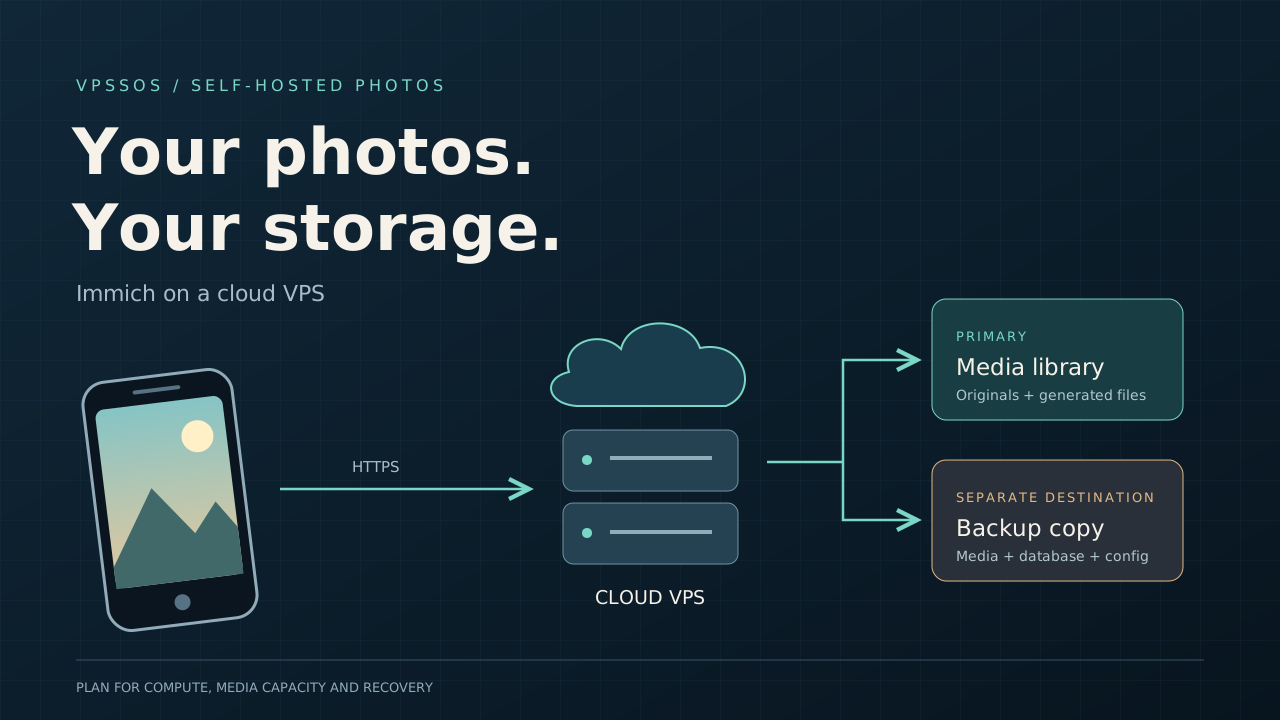
Storage changes the buying decision. Your originals share capacity with generated previews, converted videos, and operational overhead, while recoverable backups need a separate destination. This guide compares six providers, sizes 100GB, 500GB, and 1TB libraries, and walks through an Ubuntu Docker Compose installation. LightNode suits hourly trials and regional deployment, but its advertised 50GB base disk needs expansion for these libraries. For a server you expect to keep for years, price the complete storage and recovery setup before ordering.
Prices and documentation checked October 23, 2026. This is a specification and documentation comparison, not a purchased-server benchmark. Tax, regional inventory, introductory terms, and checkout prices can differ.
Best VPS for Immich: Quick Comparison
These configurations meet the recommended CPU and memory baseline. Listed prices exclude additional media disks and independent backups. Public catalog entries do not guarantee stock in your chosen region.
| Provider | Recommended VPS | vCPU | RAM | Included storage | Verified monthly price | Storage expansion | Best for |
|---|---|---|---|---|---|---|---|
| LightNode | Premium Linux | 4 | 8GB | 50GB NVMe | $27.70 displayed equivalent | Console disk upgrade; obtain quote | Flexible hourly trials |
| Hetzner | CPX32, subject to availability | 4 | 8GB | 160GB NVMe | Check current pricing; EU reference €35.99 incl. IPv4, excl. VAT | Cloud Volumes | EU infrastructure comparison |
| DigitalOcean | Regular Basic 8GiB | 4 | 8GiB | 160GiB SSD | $48 | Volumes | Documented cloud administration |
| Vultr | vc2-4c-8gb | 4 | 8GB | 160GB SSD | $40 base; São Paulo $60 | Regional Block Storage | Regional deployment |
| Akamai Cloud | Linode 8GB | 4 | 8GB | 160GB | $48 base | Block Storage | General-purpose Linux hosting |
| Contabo | Cloud VPS Plus 4 | 4 shared | 8GB | 150GB NVMe | Check current pricing | Storage Extension add-on | Comparing capacity-focused plans |
The lowest advertised plan is often different: LightNode starts at 1 vCPU/2GB, DigitalOcean at 512MiB, Vultr's regular catalog at 1GB, and Akamai's Nanode at 1GB. Contabo's Core range starts at 4 vCPU/8GB/100GB SSD; its separate Storage VPS 10 has only 4GB RAM. None of those sub-6GB choices is our standard Immich recommendation. See the cheap VPS guide for broader budget comparisons.
All six offer administrable Linux virtual machines suitable for Docker Engine and its Compose plugin. You maintain Immich, the operating system, and restores yourself.
What Is Immich and Why Self-Host It?
Immich runs on hardware or a VM you control. Its mobile client can upload selected albums automatically; the web application provides a timeline, albums, sharing, and search. Facial recognition and contextual search add background processing jobs. It is software you operate, rather than a storage subscription with capacity supplied by Immich.
Self-hosting gives you control over retention, access, and the storage location. It also makes you responsible for updates and recovery. A successful phone upload only proves that the server received a file; it does not prove that an independent backup exists. The official feature documentation explains search options and their processing costs.
Immich Server Requirements
Minimum RAM and CPU
The official requirements specify the following. A virtual CPU is a provider allocation, so shared-core plans can behave differently during sustained imports.
| Configuration | CPU | RAM | Storage approach | Status |
|---|---|---|---|---|
| Official minimum | 2 cores | 6GB | Sufficient compatible storage | Immich requirement |
| Official recommendation | 4 cores | 8GB | Sufficient compatible storage | Immich recommendation |
| Small library starting point | 4 vCPU | 8GB | SSD database plus sized media disk | Editorial planning advice |
| Large library or heavier imports | 4-8 vCPU | 8-16GB | Expandable media disk and separate backup | Editorial planning advice |
A 4GB machine is a constrained exception with machine learning disabled, not the normal minimum. Leave memory for the OS and other services.
Recommended VPS Configuration
Start with a 64-bit Linux full VM, SSH access, and 4 vCPU/8GB. Immich supports amd64 and arm64. On amd64, the current v3 machine-learning container requires x86-64-v2 instructions; confirm that the virtual CPU exposes them. Avoid packing unrelated applications onto that machine before measuring memory pressure. Initial imports can be much heavier than routine browsing. A dashboard such as Coolify or Dokploy needs its own resource allowance.
Storage Requirements
Use a filesystem with Unix ownership and permissions. Keep DB_DATA_LOCATION on the VM's local SSD, separate from the media mount. Never place PostgreSQL's live data directory on a network share. When a data disk is involved, verify that it is mounted before starting Docker; writing into an empty mountpoint can fill the boot disk instead.
Machine Learning Resource Usage
Smart search models differ substantially in memory use. Begin with defaults, reduce job concurrency if imports overwhelm the server, and measure before upgrading. A large video collection can stress CPU through transcoding even when the photo gallery feels idle. Inspect the model comparison before selecting a larger model.
Does Immich Need a GPU?
No. A CPU deployment is a reasonable starting point. Hardware transcoding needs a supported device exposed to the container; ordinary VPS plans do not imply GPU access. Remote machine learning can move some processing elsewhere, but preview images leave the server. Keep that service on a trusted private connection; it has no built-in authentication.
6 Best VPS Hosting Providers for Immich
1. LightNode: Best for Flexible Hourly Billing
LightNode Premium lists 4 vCPU, 8GB RAM, 50GB NVMe, and 3TB transfer at a displayed $27.70 monthly equivalent. Linux images, full root access, and a broad location choice make it a useful place to trial the application near your users.
The disk is the limitation. Even 100GB of originals will not fit. Its product page describes disk upgrades, but we could not verify public 500GB or 1TB expansion prices, backup charges, or a universal IPv4 fee breakdown. Check current pricing in the console for the entire configuration. Confirm the dedicated IP and selected location before paying. No verified LightNode Immich one-click product is assumed here.
Hourly billing helps test an installation without a long commitment. Confirm the selected rate and cap; do not calculate the 8GB plan from the entry tier's hourly price. Billing descriptions vary across LightNode pages, so release an unwanted instance after saving your data rather than assuming shutdown ends charges.
2. Hetzner: An EU Option Worth Comparing
CPX32 lists 4 vCPU, 8GB RAM, and 160GB NVMe. The fetched EU page displayed €35.99/month including primary IPv4 and excluding VAT, but also marked creation unavailable. Check current pricing and stock; this is a reference, not a guaranteed purchasable offer. Old €5-era comparisons should not drive an October 2026 purchase.
Hetzner provides hourly billing with a monthly cap, Linux administration, and Cloud Volumes for growing media storage. EU listings show 20TB included traffic; Singapore differs. Obtain current Volume, snapshot, backup, and IPv4 itemization. Server backups do not include attached Volumes, according to the Volume documentation.
A Storage Box supports backup tools and starts at 1TB capacity. It is a separate backup destination, not the local SSD for PostgreSQL. If EU stock and the combined quote work for you, Hetzner remains worth comparing; our Hetzner alternatives guide covers other choices.
3. DigitalOcean: Best for Documented Cloud Administration
The Regular Basic 8GiB Droplet has 4 vCPU, 160GiB SSD, 5,000GiB transfer, and a $48 monthly cap. Billing is per-second with a minimum charge. A primary IPv4 comes with the Droplet; a reserved address left unassigned has separate billing. Linux SSH access supports the installation below.
Its strength here is documented expansion: Volumes cost $0.10/GiB-month. Keep PostgreSQL on local SSD and put media on the additional disk. Weekly basic Droplet backups add 20%, daily add 30%; volume snapshots have their own $0.06/GiB-month price. Those charges are not included in the $48.
This is an easy budget to model, but 1TB-scale media on block storage is expensive. Choose a region supporting both your VM and storage, and account for outbound traffic and restore transfers.
4. Vultr: Best for Region-Specific Deployment
Vultr's public plans API lists vc2-4c-8gb: 4 vCPU, 8GB RAM, 160GB local SSD, and 4,096GB transfer. Base pricing is $40/month or $0.055/hour; São Paulo is $60/month. The regional override matters more than a generic headline price.
Use a Linux image with SSH access. An ordinary IPv4-enabled instance is the relevant comparison, not an IPv6-only promotional tier. Block Storage exists, but capacity, media type, availability, and price must be checked for the selected region. Check current pricing for disk expansion, snapshots, automated backups, and additional IPs; no unverified storage rate is included in our totals.
Choose Vultr when location is decisive and the complete regional quote is acceptable. The base disk alone is not a 500GB photo solution.
5. Akamai Cloud: Best for General-Purpose Linux VPS Hosting
Linode 8GB provides 4 vCPU, 160GB disk, and 5TB transfer for $48/month or $0.072/hour. Its type API lists Jakarta at $57.60 and São Paulo at $67.20. The optional backup add-on is $10/month at base-region pricing.
Linux root access and a public IP support a conventional Docker installation. Published Block Storage pricing is $0.10/GB-month, separate from local disk. Backups of the instance do not replace your media-volume backup plan. The pricing page lists $0.005/GB transfer overage for standard regions and different distributed-region terms.
This suits readers who want a conventional VM and straightforward storage products. It does not automatically beat lower-cost storage-oriented hosting for a large library; check backup coverage and snapshot/image charges for your layout.
6. Contabo: Best for Comparing Storage-Focused Configurations
Contabo's current VPS documentation separates Core, Performance, and Storage families. Cloud VPS Plus 4 offers 4 shared vCPU, 8GB RAM, and 150GB NVMe. A Storage VPS 30 instead lists 6 vCPU, 18GB RAM, and 1TB SSD. That 1TB disk still cannot safely hold 1TB of originals plus generated data and free space.
Linux root access and one static IPv4 are provided. Storage Extension and Auto Backup are available for Core/Performance, while Storage VPS has different backup options. Current pages and older search listings show different plan generations, so check current pricing for the exact region, contract length, renewal, storage, and backup quote.
Traffic is subject to fair use and plan-specific port speed. Capacity can be attractive, but shared CPU does not establish import performance. Confirm that the advertised disk is local and suitable for PostgreSQL, or obtain a separate local SSD arrangement.
How Much Storage Does Immich Need?
Size the complete application, not just the originals. The requirements page gives an average 10-20% increase from generated files. Video settings and library composition can exceed that range.
Our planning example uses 20% for generated media, 5GB for PostgreSQL and metadata growth, 20GB for the OS/images/logs, and a 20% free-space target. Capacity equals (originals + generated + 5 + 20) / 0.8, rounded upward. These are estimates, not official fixed disk requirements. Here 1TB means 1,000GB; providers may bill GiB instead.
| Original library | Generated files, assumed | Database allowance | OS / containers | Free-space allowance | Primary capacity target | Separate backup budget |
|---|---|---|---|---|---|---|
| 100GB | 20GB | 5GB | 20GB | 36.25GB minimum | 200GB | 150GiB |
| 500GB | 100GB | 5GB | 20GB | 156.25GB minimum | 800GB | 750GiB |
| 1TB | 200GB | 5GB | 20GB | 306.25GB minimum | 1.6TB | 1,500GiB |
Backup budgets cover roughly one full current dataset with room for dumps and limited changes. Long retention, changed videos, or multiple full copies need more. Generated files can sometimes be recreated, but back up the complete upload tree for simpler recovery. External libraries require their own coverage.

Immich Hosting Costs: 100GB vs 500GB vs 1TB
The following worked DigitalOcean budget uses the $48 VM, a separate media Volume, and a Spaces backup bucket in another region. The boot SSD holds the OS and database. Each media Volume exceeds the primary capacity target after accounting for GB/GiB differences.
Spaces pricing is $5/month for 250GiB, then $0.02/GiB-month. For example, 750GiB costs $5 + (750 - 250) × $0.02 = $15.
| Scenario | VPS cost | Extra media storage | Backup storage cost | Estimated monthly total |
|---|---|---|---|---|
| 100GB library | $48 | 200GiB × $0.10 = $20 | 150GiB budget: $5 | $73 |
| 500GB library | $48 | 800GiB × $0.10 = $80 | 750GiB budget: $15 | $143 |
| 1TB library | $48 | 1,600GiB × $0.10 = $160 | 1,500GiB budget: $30 | $238 |
These full-month estimates exclude tax, domain fees, optional snapshots/Droplet backups, excess transfer, and retained backup growth. Spaces includes 1,024GiB outbound; excess is $0.01/GiB. Cross-region backup uploads can consume VM transfer. Different-region storage gives location separation but shares an account/provider risk; keep another recoverable copy under separate control.
For a cross-provider alternative, Backblaze B2 advertises storage starting at $6.95/TB-month. Obtain a current quote with retention and restore traffic. S3 object storage is useful for backup software; it is not a drop-in replacement for Immich's filesystem or PostgreSQL.
There is no honest complete LightNode 1TB total without a verified disk quote. Likewise, do not combine a low Contabo headline with unrelated expansion assumptions. Request an itemized total and compare it with a NAS before committing.
How to Install Immich on an Ubuntu VPS
1. Prepare Ubuntu and Docker
Create a fresh Ubuntu 24.04 LTS VM with 4 vCPU/8GB and the planned disks. Use SSH keys and a provider firewall. Connect as an administrative user:
ssh ubuntu@YOUR_SERVER_IPOn a fresh supported Ubuntu image, add Docker's official apt repository and install the Engine and Compose plugin. If Docker packages already exist, follow the official conflict-removal steps first.
sudo apt update
sudo apt install -y ca-certificates curl
sudo install -m 0755 -d /etc/apt/keyrings
sudo curl -fsSL https://download.docker.com/linux/ubuntu/gpg \
  -o /etc/apt/keyrings/docker.asc
sudo chmod a+r /etc/apt/keyrings/docker.asc
sudo tee /etc/apt/sources.list.d/docker.sources >/dev/null <<EOF_DOCKER
Types: deb
URIs: https://download.docker.com/linux/ubuntu
Suites: $(. /etc/os-release && echo "$VERSION_CODENAME")
Components: stable
Architectures: $(dpkg --print-architecture)
Signed-By: /etc/apt/keyrings/docker.asc
EOF_DOCKER
sudo apt update
sudo apt install -y docker-ce docker-ce-cli containerd.io \
  docker-buildx-plugin docker-compose-plugin
Confirm the installation:
sudo docker version
sudo docker compose version
sudo docker run --rm hello-world
The Docker setup guide explains the prerequisite separately. Do not substitute the retired docker-compose command. If you are already hosting n8n, allocate additional resources instead of treating the existing server's full RAM as available.
2. Download the official release configuration
Use the recommended Compose installation. These downloads are for a new installation; do not overwrite an existing .env or customized Compose file.
mkdir -p "$HOME/immich-app"
cd "$HOME/immich-app"
umask 077
wget -O docker-compose.yml \
  https://github.com/immich-app/immich/releases/latest/download/docker-compose.yml
wget -O .env \
  https://github.com/immich-app/immich/releases/latest/download/example.env
Keep the files from the same release. At review, the latest published release was v3.3.5. Pin that reviewed version for repeatability, or check the current release notes before selecting a later version.
3. Configure media, local database, and credentials
Mount the media disk at /srv/immich-media using your provider's documented procedure, and configure its persistent mount. Verify findmnt /srv/immich-media succeeds after reboot. Keep /var/lib/immich/postgres on local SSD. Create the database parent:
sudo install -d -m 0750 /var/lib/immich
openssl rand -hex 32
nano .env
Use the generated value privately for DB_PASSWORD; do not copy a sample password. Set these values while preserving the remaining official variables:
UPLOAD_LOCATION=/srv/immich-media
DB_DATA_LOCATION=/var/lib/immich/postgres
IMMICH_VERSION=v3.3.5
DB_PASSWORD=REPLACE_WITH_YOUR_RANDOM_HEX_VALUE
TZ=Etc/UTC
Run chmod 600 .env. Avoid publishing output from configuration commands because resolved environment values can include secrets. The environment variable reference explains which settings require container recreation.
4. Restrict the application port and start
For a reverse proxy installed on the host, replace the official server's port mapping '2283:2283' with '127.0.0.1:2283:2283' in docker-compose.yml. Leave database, cache, and machine learning ports unexposed.
sudo docker compose config --quiet
sudo docker compose up -d
sudo docker compose ps
sudo docker compose logs --tail=100 immich-server database
For initial setup, open an SSH tunnel from your computer:
ssh -L 2283:127.0.0.1:2283 ubuntu@YOUR_SERVER_IPVisit http://localhost:2283, create the first administrator account, and upload a test photo. Confirm the file, thumbnail, and download before importing the library.
5. Enable HTTPS and test the phone client
Point a domain at the server and configure a host reverse proxy with a valid TLS certificate. Follow Immich's reverse-proxy requirements, including sufficiently large uploads, long processing timeouts, WebSockets, and correct forwarded headers. A host Caddy configuration can start with:
photos.example.com {
    reverse_proxy 127.0.0.1:2283
}
Replace the domain, allow required HTTP/HTTPS ingress, and follow Caddy's installation guidance. A containerized proxy needs shared-network routing rather than its own loopback address. Docker-published ports can bypass UFW, so verify exposure externally.
Connect the mobile app using the HTTPS URL, select backup albums, and test an upload over mobile data. Follow upgrade instructions after backing up: review breaking changes, adjust the pinned version and release configuration, then pull and recreate containers. Downgrading is not a recovery plan.
How to Back Up Immich Safely
Immich creates automatic database dumps under UPLOAD_LOCATION/backups. At review, defaults were daily at 02:00 with 14 retained dumps. Check the settings on your installation. These files contain database metadata, not your photos and videos.
Use the official backup and restore guide to protect the database and media together. Keep .env, Compose changes, proxy configuration, and any external libraries in your encrypted backup as well. Do not copy a running PostgreSQL data directory as a substitute for a database-aware backup.
For a simple consistent backup window, pause uploads, create a database dump, and stop the stack while backup software copies the complete media tree, dump, and configuration to the remote destination. Restart after checking backup success. Automate this with failure alerts and enough time for the copy. Larger installations should use a coordinated incremental workflow appropriate to their downtime limit.
Follow 3-2-1: maintain three copies across two storage types or systems, with one off-site. A VPS snapshot is an additional rollback tool, not your only backup. Test recovery into a separate instance: restore files to the same paths, use the supported database restore process, sign in, and open both a photo and video. Record the tested version and restore date.
VPS vs NAS for Immich
| Choice | Storage and expansion | Access and reliability | Maintenance and privacy |
|---|---|---|---|
| VPS | Convenient monthly compute; large SSD volumes can dominate cost | Public connectivity; provider outages still possible | You patch Linux; provider holds infrastructure |
| Home NAS | Drive purchases, power, replacements, and off-site copy | Home upload speed and power affect remote access | Local media control; maintain NAS and remote access |
| Home server | Flexible disks and hardware acceleration | Router, ISP, and UPS become part of availability | Most hardware responsibility; flexible software |
For a growing 1TB library, compare several years of VPS storage bills with drives plus off-site backup. A NAS can be cheaper but is not automatically safer. Remote access, power failures, hardware replacement, and recovery still need planning.
Immich vs Google Photos: Hosting Costs
The US-English Google One page displayed 100GB for $1.99/month and 2TB for $9.99/month at review. These are region-specific displayed prices, not universal quotes; the storage is shared with Drive and Gmail. Recheck your signed-in local offer and tax.
A managed photo subscription can cost much less than the worked VPS budgets. Immich offers control over storage and administration, while you supply maintenance, uptime, migration work, and independent backups. Trial an export/import with a small album and inspect dates and metadata before moving everything. Keeping a second copy during migration is worth more than saving one subscription month.
Common Immich Hosting Problems
Start with these local diagnostics; review logs before sharing them because they can contain private paths or identifiers.
sudo docker compose ps -a
sudo docker compose logs --tail=100 immich-server database immich-machine-learning
free -h
df -h
df -i
findmnt /srv/immich-media
sudo journalctl -k --since "1 hour ago" | grep -Ei 'oom|out of memory'| Problem | What to check first |
|---|---|
| Containers do not start | Compose validation, image pull errors, service health |
| Out of memory | Kernel OOM messages; reduce concurrent jobs or add RAM |
| PostgreSQL connection error | Database logs, local disk space, unchanged credentials, service health |
| Storage full | Correct media mount, free blocks and inodes, retained backups |
| Uploads fail | Proxy size/time limits, HTTPS reachability, server logs |
| Machine learning crashes | Model RAM needs and required x86-64-v2 instructions on amd64 v3 |
| Permission errors | Mount ownership and service requirements; avoid blanket chmod 777 |
| Slow thumbnails | CPU contention, job queue, media I/O; measure before resizing |
| Backups fail | Destination quota, credentials, dump timestamps, backup job exit status |
After a first deployment initializes PostgreSQL, changing .env alone does not change the database's existing password. Diagnose the mismatch and use the supported credential procedure; do not delete the database to make a container start.
Which VPS Is Best for Immich?
For flexible billing and location trials, choose LightNode once the disk quote fits your library. For budget-focused EU hosting, compare Hetzner's current available stock and complete price with Contabo's quoted configuration. For small libraries and documented administration, DigitalOcean is easy to budget; Akamai offers a similar general-purpose model. Choose Vultr when a particular region makes uploads materially more practical.
For large libraries, prioritize expandable primary storage and an independently recoverable copy over CPU branding. For heavy machine learning, first consider additional RAM, dedicated CPU, or a private remote processing host. None of these unmanaged plans removes the need for Linux maintenance.
Frequently Asked Questions
What is the best VPS for Immich?
Start with 4 vCPU/8GB and a complete storage budget. LightNode suits flexible trials; storage-heavy libraries need a verified expansion quote or a different layout.
How much RAM does Immich need?
The current minimum is 6GB; 8GB is recommended. Leave room for the OS and competing services.
Can Immich run on a 4GB VPS?
Only as a constrained setup with machine learning disabled. It is below the standard memory minimum used in this comparison.
Does Immich need a GPU?
No. Acceleration is optional and requires supported hardware and container configuration.
How much storage does Immich require?
More than your original library. Our example budgets 200GB primary capacity for 100GB of originals, with backups elsewhere.
Can Immich use object storage?
Do not assume an S3 bucket can replace its normal media filesystem or database. Use object storage through backup software unless current official documentation supports your proposed layout.
Is Immich free to self-host?
The source is available under AGPLv3. Hosting, disks, backups, and maintenance still have costs.
Is a VPS better than a NAS for Immich?
A VPS can simplify public connectivity. A NAS may offer better long-term storage economics, depending on hardware, power, internet, and backup costs.
How do I back up Immich?
Back up database dumps, media, configuration, and external libraries to another system. Test a restore; database dumps alone contain no photos.
How much does Immich hosting cost per month?
Our worked cloud examples are $73, $143, and $238 for 100GB, 500GB, and 1TB libraries. They are one provider/layout example, not minimum market prices.
For a small library, 4 vCPU/8GB with properly sized media storage is a sensible first purchase. For 500GB or 1TB, get the storage and recovery quote first, then choose compute. That order avoids buying an inexpensive server whose disks make the final bill unaffordable.