
Best VPS for Gitea in 2026: Hosting Costs, Requirements & Setup Guide
The best VPS for Gitea has enough memory for Git operations, room for repository growth, and a backup you can restore. Gitea is a lightweight Git server for self-hosted repositories, with private source code hosting, pull requests, issue tracking, and team collaboration in a web interface. You control where repository data lives and who can access it.
A personal Git server can start small. A team pushing large repositories, storing Git LFS objects, or running Gitea Actions needs a different budget. CI/CD builds execute on runners and can consume far more CPU, memory, and disk than the repository service itself.
This guide compares five providers, separates practical sizing from official guidance, and explains an Ubuntu Docker Compose installation. The setup keeps server administration on SSH port 22, gives Git its own SSH port, and protects the web interface with HTTPS.
Checked November 4, 2026. This source-based comparison includes no purchased-server benchmarks. The LightNode link is an affiliate link; we may earn a commission. Listed prices exclude tax and optional services unless stated.
What Is Gitea?
Gitea hosts public and private Git repositories, pull requests, issues, project boards, users, and organizations. Webhooks and integrations connect repository activity to other services. Its package registry supports formats including containers, npm, Maven, and PyPI.
Gitea Actions coordinates workflows; a registered runner executes jobs. Check workflow and third-party action compatibility before migrating.
Individuals, startups, small teams, open-source projects, and organizations wanting control over Git infrastructure can use Gitea. GitHub supplies a hosted collaboration ecosystem; GitLab offers a broader integrated DevOps platform. Neither is an exact feature match. Deployment platforms such as Coolify and Dokploy manage application deployment.
Gitea VPS Requirements
The official guidance says 2 CPU cores and 1 GB RAM are typically sufficient for small teams/projects. That is workload guidance, not a promise of capacity. The following are editorial planning suggestions, including space for Linux and Docker.
| Use Case | CPU | RAM | Storage | Database |
|---|---|---|---|---|
| Personal Git server | 1-2 vCPU; one core is an evaluation option | 1-2 GB | 20-40 GB SSD, plus growth margin | SQLite |
| Small development team | 2 vCPU | 2-4 GB | 50-100 GB SSD | PostgreSQL worth choosing initially |
| Growing team | 4+ vCPU | 8+ GB | 100+ GB SSD, sized to actual data | PostgreSQL |
One vCPU is below the official typical example; prefer two for active collaboration. Concurrent clone/push operations, Git packing, indexing, and database work can cause peaks that ordinary browsing does not reveal.
Budget repository history, LFS objects, packages, attachments, logs, and free space for upgrades separately. Deleting a large file from the current branch does not remove its historical Git objects. Prefer SSD to HDD for Git/database I/O; disk type alone does not prove performance.
Keep retained backups on another destination. Gitea Actions runner hosting is a separate sizing decision: build caches, containers, and concurrent jobs can overwhelm a 1 GB machine. Keep untrusted jobs isolated from the Git server and its Docker socket. See the runner documentation.
How Much Does Gitea VPS Hosting Cost?
Compute prices were checked November 4, 2026; backup reserves are estimates. Totals exclude domains, taxes, extra disks, traffic overages, separate databases, and runners.
| Budget | Suggested workload/configuration | Verified compute range | Estimated backup reserve | Estimated monthly subtotal |
|---|---|---|---|---|
| Budget personal Git hosting | Light repositories; 1 vCPU, 1-2 GB, 25-55 GB SSD | $5-$12 | $1-$5 | $6-$17 |
| Small team Git hosting | 2 vCPU, 4 GB, 80 GB SSD | $20-$24 | $4-$6 | $24-$30 |
| Growing development team | 4 vCPU, 8 GB, 160 GB SSD | $40-$48 | $8-$12 | $48-$60 |
The personal tier retains the one-core caveat. Its $5 entry examples are Vultr and Linode; DigitalOcean offers 2 GiB at $12. Larger ranges compare Vultr against DigitalOcean/Linode.
Linode's base-region backup add-ons are $2.50 for 2 GB, $5 for 4 GB, and $10 for 8 GB. DigitalOcean weekly percentage-based backups cost 20% of the Droplet price. Provider snapshots do not prove application-consistent recovery.
Price extra SSD capacity, retained backups, IPv4 where separate, and outbound clone/LFS traffic before ordering. Use a registrar's renewal quote for a domain. PostgreSQL consumes resources even on the same VPS; a separate database server and CI runner each add another compute reservation.
Best VPS Providers for Gitea in 2026
Providers appear in editorial order. Compare suggested plans and regional totals, since starting prices buy different resources.
| Provider | Suggested Configuration | Starting Price | Storage | Best For | Visit Website |
|---|---|---|---|---|---|
| LightNode | Start: 1 vCPU / 2 GB | $7.71 monthly reference | 50 GB NVMe | Hourly personal deployments | Visit |
| DigitalOcean | Basic Regular: 1 vCPU / 2 GiB, $12/month | $4/month, 512 MiB | Suggested: 50 GiB SSD | Established developer tooling | Visit |
| Vultr | Regular: 1 vCPU / 2 GB, $10/month base | Verified 1 GB option: $5/month* | Suggested: 55 GB SSD | Regional choice | Visit |
| Akamai Cloud / Linode | Linode 2GB: 1 vCPU / 2 GB, $12/month base | Nanode 1GB: $5/month base | Suggested: 50 GB | Conventional Linux hosting | Visit |
| Hetzner | CPX22: 2 vCPU / 4 GB, if available | Current order quote required | 80 GB NVMe | Comparing EU infrastructure costs | Visit |
*The verified Vultr 1 GB option is not a claim about the cheapest plan in its entire catalog. Sources: Vultr public API and Linode type API; other catalog sources appear in the table.
1. LightNode: Flexible Hourly Gitea Hosting
LightNode

Recommended: Start Linux, 1 vCPU, 2 GB RAM, 50 GB NVMe SSD, 1 TB advertised transfer. Starting price: $7.71 displayed monthly reference.
KVM, root access, a dedicated IP, and Linux images support a normal Docker installation. Hourly billing suits a personal Git server trial, with locations across multiple continents.
Pros: Flexible billing and regional selection. Cons: The official FAQ currently lists IPv4 only and one IPv4 per instance. Best for: Developers evaluating private repositories before choosing a longer-lived configuration.
Stopped instances remain billable; the billing FAQ describes a 672-hour server-fee cap within a complete calendar month. Confirm traffic and release rules. The current listing specifies 1 TB transfer; a universal 50 Mbps port was not verified. Choose more CPU for active teams.
2. DigitalOcean: Documented Developer Operations
DigitalOcean

Recommended: Basic Regular, 1 vCPU, 2 GiB, 50 GiB SSD, $12/month; small teams can evaluate 2 vCPU/4 GiB/80 GiB at $24. Starting price: $4/month for 512 MiB.
Droplets combine Linux images, a developer dashboard, documentation, and API automation. Pros: Clear configuration tiers and documented administration. Cons: Backups cost extra, and the entry 512 MiB plan is below this guide's memory suggestions. Best for: Small development teams wanting established tooling. Bundled plans use per-second billing with a monthly cap and a minimum of 60 seconds or $0.01, whichever is greater.
3. Vultr: Broader Deployment Locations
Vultr

Recommended: vc2-1c-2gb, 1 vCPU, 2 GB, 55 GB SSD, $10/month base; the 2 vCPU/4 GB/80 GB tier is $20. Verified 1 GB entry: $5/month.
Cloud Compute offers administrable Linux instances across many regions. Pros: Location choice and smaller evaluation plans. Cons: Regional overrides affect cost; the recommended 2 GB plan is $15 in São Paulo. Best for: A Git host near the team's network routes. Regular plans here use SSD; other families advertise NVMe. Do not assume one disk technology across the catalog or confuse listed locations with measured latency.
4. Akamai Cloud / Linode: Predictable Instance Sizes
Akamai Cloud / Linode

Recommended: Linode 2GB, 1 vCPU, 2 GB RAM, 50 GB disk, $12/month base. Linode 4GB provides 2 vCPU/80 GB for $24. Starting price: Nanode 1GB, $5/month base.
Linux instances and developer documentation support SSH administration and Docker deployment. Pros: Familiar VM management and explicit backup pricing. Cons: Region-specific rates apply: Linode 2GB costs $14.40 in Jakarta and $16.80 in São Paulo. Best for: Developers who prefer conventional Linux infrastructure. Transfer allowances and optional services still need an order-specific check.
5. Hetzner: EU Cost Comparisons with an Actual Quote
Hetzner

Recommended: CPX22, 2 vCPU, 4 GB RAM, 80 GB NVMe, subject to inventory. Starting price: Obtain a current purchasable quote.
Hetzner offers Linux cloud servers, private networking, and API access. Pros: EU deployment options and substantial advertised EU transfer allowances. Cons: The checked catalog marked products unavailable, so an advertised reference is not a guaranteed order. Best for: Budget-conscious teams comparing available European capacity. Verify currency, VAT, primary IPv4, backup fees, and regional transfer rules.
How to Install Gitea on an Ubuntu VPS
This Gitea Ubuntu VPS setup uses a fresh, supported Ubuntu 24.04 LTS image and the official community 28.3.0 rootful image. The stable release and registry manifest were verified. Commands follow documentation; no purchased-VPS installation is claimed.
Step 1. Prepare an Ubuntu VPS
Use SSH keys and the sizing table above. Replace the login user and IP:
ssh ubuntu@YOUR_SERVER_IP
sudo apt update
sudo apt upgrade -y
sudo apt install -y ca-certificates curl
sudo ss -lntup
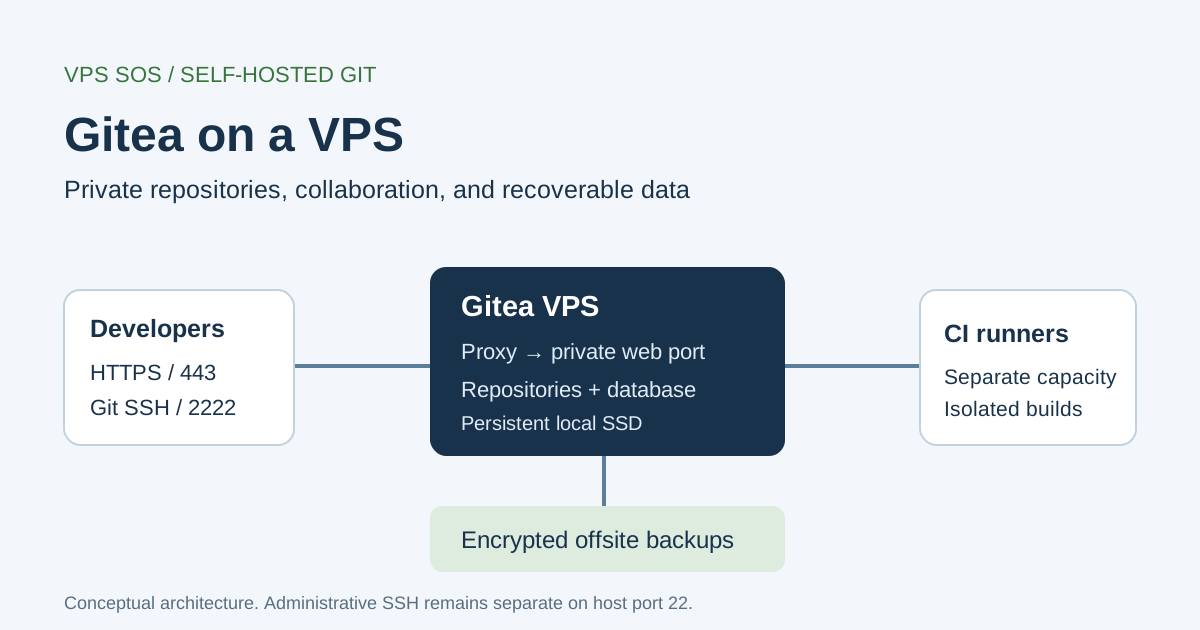
Point your Git hostname at the VPS. Keep administrative SSH, normally TCP 22, restricted to trusted sources. Reserve TCP 2222 for Git SSH and 80/443 for HTTPS. Keep 3000 blocked publicly. Apply rules at the provider firewall, including IPv6; Docker-published ports can bypass normal UFW expectations. Reboot if updates require it.
Step 2. Install Docker Engine and Docker Compose
On a clean image without conflicting Docker packages, follow Docker's Ubuntu repository instructions:
sudo install -m 0755 -d /etc/apt/keyrings
sudo curl -fsSL https://download.docker.com/linux/ubuntu/gpg -o /etc/apt/keyrings/docker.asc
sudo chmod a+r /etc/apt/keyrings/docker.asc
sudo tee /etc/apt/sources.list.d/docker.sources > /dev/null <<EOF_DOCKER
Types: deb
URIs: https://download.docker.com/linux/ubuntu
Suites: $(. /etc/os-release && echo "${UBUNTU_CODENAME:-$VERSION_CODENAME}")
Components: stable
Architectures: $(dpkg --print-architecture)
Signed-By: /etc/apt/keyrings/docker.asc
EOF_DOCKER
sudo apt update
sudo apt install -y docker-ce docker-ce-cli containerd.io docker-buildx-plugin docker-compose-plugin
sudo docker run --rm hello-world
sudo docker compose version
Our Docker VPS guide discusses hosting choices; this tutorial uses the current docker compose plugin command.
Step 3. Create the Gitea Project Directory
sudo install -d -m 0755 /opt/gitea
sudo install -d -m 0750 -o 1000 -g 1000 /opt/gitea/data
cd /opt/gitea
Match data ownership to USER_UID/USER_GID, including after restores; avoid world-writable permissions.
Step 4. Create a Docker Compose File
Save /opt/gitea/docker-compose.yml, replacing git.example.com with your hostname:
services:
  gitea:
    image: docker.gitea.com/gitea:28.3.0
    container_name: gitea
    restart: unless-stopped
    environment:
      USER_UID: "1000"
      USER_GID: "1000"
      GITEA__database__DB_TYPE: sqlite3
      GITEA__database__PATH: /data/gitea/gitea.db
      GITEA__repository__ROOT: /data/git/repositories
      GITEA__server__DOMAIN: git.example.com
      GITEA__server__SSH_DOMAIN: git.example.com
      GITEA__server__SSH_PORT: "2222"
      GITEA__server__ROOT_URL: http://localhost:3000/
      GITEA__service__DISABLE_REGISTRATION: "true"
    volumes:
      - ./data:/data
      - /etc/localtime:/etc/localtime:ro
    ports:
      - "127.0.0.1:3000:3000"
      - "2222:22"
The rootful image uses /data and managed OpenSSH. The rootless image has different mounts and a built-in SSH server; changing the tag alone is not a migration. The temporary loopback ROOT_URL supports private installation; Step 8 replaces it with HTTPS.
Step 5. Start Gitea
sudo docker compose config --quiet
sudo docker compose up -d
sudo docker compose ps
sudo docker compose logs --tail=100 gitea
Step 6. Complete the Web Installation
First access should stay private. On your computer:
ssh -N -L 3000:127.0.0.1:3000 ubuntu@YOUR_SERVER_IPOpen http://localhost:3000. In the installation form, review:
| Field | Value for this example |
|---|---|
| Database Type | SQLite3; database path /data/gitea/gitea.db |
| Repository Root Path | /data/git/repositories |
| Server Domain | git.example.com |
| SSH Server Port | 2222, the published Git port |
| Gitea Base URL | http://localhost:3000/ during private bootstrap; change in Step 8 |
| Administrator Account | Expand administrator settings; create a named admin with a unique password |
Create the administrator immediately. Keep public web access closed until HTTPS works. Administrators create team accounts because registration is disabled. SQLite suits lighter use. For a team expected to grow, choose PostgreSQL at installation: database conversion is not well tested, and PostgreSQL adds RAM, patching, and database-aware backups.
Step 7. Configure Git Access via SSH
Add your public SSH key under the Gitea user's SSH key settings; keep the private key on your workstation. Generate one if necessary:
ssh-keygen -t ed25519 -C "developer@example.com"
cat ~/.ssh/id_ed25519.pub
ssh -T -p 2222 git@git.example.com
Verify the displayed host-key fingerprint through a trusted server channel before accepting it. A successful authentication message may say Gitea does not provide shell access.
For this rootful setup, Docker maps host 2222 → container 22, SSH_PORT=2222 advertises the public port, and developer firewall rules permit TCP 2222. The clone URL must include :2222. SSH_PORT is not the built-in server's listening-port setting; see the configuration reference. Keep the VPS administration SSH service running.
Step 8. Configure HTTPS with a Reverse Proxy
Point DNS at the VPS, including only working A/AAAA records. Install Caddy using its official Ubuntu instructions. Save this as /etc/caddy/Caddyfile:
git.example.com {
    reverse_proxy 127.0.0.1:3000
}
Change GITEA__server__ROOT_URL in Compose to https://git.example.com/. On the VPS, recreate Gitea before checking HTTPS:
cd /opt/gitea
sudo docker compose up -d
sudo caddy validate --config /etc/caddy/Caddyfile
sudo systemctl reload caddy
curl -I https://git.example.com/
This follows Gitea's Caddy example. Caddy obtains certificates, supports WebSockets, retains the host, and sets forwarding headers. Trust headers only from your intended proxies. Enable MFA and use private repositories for private code.
Step 9. Create Your First Repository
After HTTPS works, create a private, empty repository named demo in the web interface, without initializing a README. On your workstation, replace YOUR_GITEA_USER:
git clone ssh://git@git.example.com:2222/YOUR_GITEA_USER/demo.git
cd demo
git config user.name "Your Name"
git config user.email "developer@example.com"
printf '# Demo\n' > README.md
git add README.md
git commit -m "Initial commit"
git push -u origin HEAD
Confirm the commit appears in Gitea. SSH keys and permissions authorize pushes; Git identity labels commits.
Step 10. Back Up and Update Gitea
For this SQLite-only, bind-mounted installation, a stopped-service archive provides a consistent local recovery point:
cd /opt/gitea
backup_stamp=$(date -u +%Y%m%dT%H%M%SZ)
sudo install -d -m 0700 /var/backups/gitea
sudo docker compose stop gitea
sudo tar --acls --xattrs -C /opt -czf "/var/backups/gitea/gitea-$backup_stamp.tar.gz" gitea
sudo docker compose start gitea
sudo chmod 600 "/var/backups/gitea/gitea-$backup_stamp.tar.gz"
Check the archive command succeeded; if it failed, restart Gitea before investigating. Copy a verified, encrypted archive offsite. This saves repositories, SQLite, LFS/packages stored locally, SSH material, data/gitea/conf/app.ini, and Compose together. Back up Caddy configuration separately. External object storage needs its own backup.
With PostgreSQL, stop Gitea writes while creating a consistent database dump and matching file backup; do not copy a running database directory as a substitute. Follow the backup guide. Restore into an isolated replacement, preserve ownership, and test login, clone/push, issues, and LFS before relying on the archive.
Before upgrades, read the upgrade notes, back up, and test the target version. Then change the pinned tag, run sudo docker compose pull and sudo docker compose up -d, and verify service health. Database migrations can require restoring the matching backup for rollback.
Gitea vs GitLab vs GitHub
| Decision | Gitea | GitLab | GitHub |
|---|---|---|---|
| Hosting Model | Self-managed community service; hosted offerings separate | Self-Managed or GitLab.com | GitHub.com; Enterprise Server separate |
| Self-Hosting | Yes | Yes | Enterprise Server, not GitHub.com |
| Resource Requirements | Size Git, database and runners separately | Broader stack; follow its sizing guidance | Provider operates GitHub.com infrastructure |
| Repository Management | Git, pull requests, issues and organizations | Git plus integrated DevOps workflows | Git plus hosted collaboration ecosystem |
| CI/CD | Gitea Actions with runners | GitLab CI/CD with runners | GitHub Actions with runners |
| User Management | Local users, organizations and supported identity integrations | Groups, roles and identity options | Organizations, teams and enterprise controls |
| Maintenance | You maintain the self-hosted stack | You maintain Self-Managed; vendor runs SaaS | Vendor runs GitHub.com; you maintain Enterprise Server |
| Best Use Case | Direct control over a focused Git service | Broader integrated DevOps needs | Established hosted collaboration |
See GitLab's requirements and GitHub's overview for their respective models.
Is Gitea Good for Small Development Teams?
Yes, when the team can maintain access, updates, and recovery. A small VPS has no dependable universal user limit: simultaneous clones and large pushes matter more than account count. SQLite can serve light use; PostgreSQL is a sensible initial choice for expected growth. Separate runners are preferable for build isolation and resource control.
Reserve space for history, LFS, packages, temporary Git operations, and retained backups. Gitea can replace familiar repository workflows, but check integrations, permissions, and Actions compatibility before moving from GitHub.
Common Gitea Hosting Problems
| Problem | Likely causes and checks |
|---|---|
| Gitea SSH connection refused | Check docker compose ps, container logs, ss -lntp, port 2222 mapping, and provider firewall rules |
| Git clone permission denied | Confirm the correct Gitea account's public key, git SSH user, repository access, and port; use ssh -vT -p 2222 git@git.example.com |
| Port 22 already in use | Leave host administration on 22; publish Gitea on 2222 and match its advertised port and clone URL |
| Gitea Docker permission denied | Distinguish Docker-daemon permissions from bind-mount ownership; use sudo docker and match data UID/GID without chmod 777 |
| Gitea 502 Bad Gateway | Check Gitea logs, loopback port 3000, and Caddy's upstream; HTTPS cannot repair a stopped application |
| Repository storage running out | Inspect df -h, df -i and directory sizes; expand capacity or apply documented retention without deleting repository internals |
Use Beszel for resource trends and Uptime Kuma for external availability. Test alerts and monitor backups.
Frequently Asked Questions
What is the best VPS for Gitea?
Choose a maintained Linux VPS with sufficient SSD storage, clear recovery options, and the network access your team needs. LightNode suits hourly personal trials; DigitalOcean and Linode offer familiar developer operations, while Vultr provides regional choices. Compare an available Hetzner quote for EU hosting. The right plan depends on repository size, concurrent Git operations, and whether CI runners share any resources with the service.
How much RAM does Gitea need?
Gitea's official overview says 2 CPU cores and 1 GB RAM are typically sufficient for small teams or projects. That does not include an unlimited workload or a busy build runner. Our practical planning range is 1-2 GB for personal use and 2-4 GB for a small team. Measure Git-operation peaks, database usage, and operating-system headroom before deciding the initial allocation is enough.
Can I host Gitea on a 1GB VPS?
Yes, a light installation can fit a 1 GB evaluation budget, subject to the workload and CPU allocation. Keep repository size modest, avoid co-locating builds, and watch memory during clone and push operations. One GB leaves less room for Linux, Docker, updates, and database work than a 2 GB machine. A successful startup alone does not establish that the instance can handle your team's busiest period.
Is Gitea free and open source?
Yes. The community project uses the MIT license, and you can run it on your own infrastructure. Hosting, backups, domains, administration, and separately offered commercial services still have costs. Free software also leaves the operator responsible for updates and restoring lost data. Budget for the complete service rather than assuming that a free license includes managed infrastructure, support, or recoverable copies of every repository.
Does Gitea support Docker?
Yes. Official Docker installation documentation covers rootful and rootless images. This guide pins the community rootful image to version 28.3.0, persists /data, and maps separate web and Git SSH ports. The rootless variant has a different storage layout and SSH implementation, so changing the image name alone is unsafe. Review the appropriate installation instructions and preserve your data before changing how an existing installation runs.
Can Gitea replace GitHub?
It can replace repository hosting, pull requests, issues, and some automation workflows when those meet your requirements. A migration still needs an audit of permissions, integrations, package formats, and Actions behavior. Gitea does not reproduce the entire GitHub ecosystem, and self-hosting transfers infrastructure maintenance to your team. Test a representative repository and its workflows first, then decide whether to migrate fully or retain both services for different projects.
Does Gitea require PostgreSQL?
No. SQLite is built in and can suit a small deployment; other supported database engines include PostgreSQL. For a team likely to grow, choosing PostgreSQL initially avoids relying on a later cross-database migration, which the documentation warns is not well tested. PostgreSQL needs memory, updates, credentials, and database-aware backups. Running it on another machine also adds compute costs and another connection that must be secured and monitored.
How much does Gitea hosting cost per month?
The verified small compute examples in this guide range from $5 to $12 per month, before backups, domains, extra storage, tax, and runners. Our personal-use subtotal is an estimated $6-$17 with a backup reserve; small teams budget roughly $24-$30 on the illustrated configurations. Those are planning ranges, not fixed provider bundles. Large LFS collections, package retention, frequent outbound clones, and separate CI workers can increase the total substantially.
Final Verdict
For budget-conscious developers, compare Vultr's verified entry plan with an actual available Hetzner quote. For personal Git repositories, LightNode's 2 GB Start plan is worth evaluating when hourly billing fits the project; keep the one-core caveat in mind.
For small development teams, evaluate 2 vCPU/4 GB, PostgreSQL, and independent backups. Vultr offers broader location choices; DigitalOcean/Linode suit established developer tooling. Size runners separately and test a restore before depending on this Git host.